
Guides
Install Surplus on your phone
You can use Surplus on your phone without downloading anything from an app store. Add it to your Home Screen from your browser, and it opens full screen with its own icon — just like the apps you use every day. You sign in the same way, and everything stays tied to your account.
iPhone
You'll need to use Safari for this — other browsers like Chrome on iOS don't allow app installs.
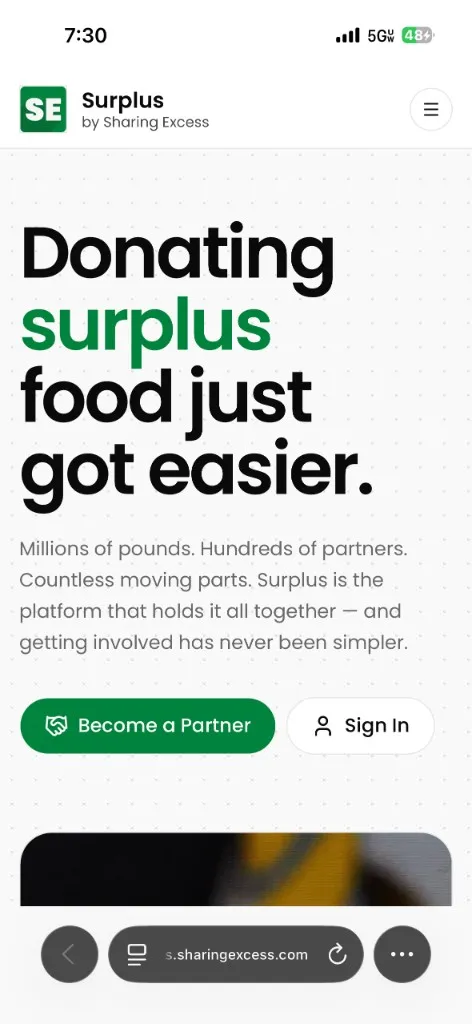
- In Safari, go to surplus.sharingexcess.com.
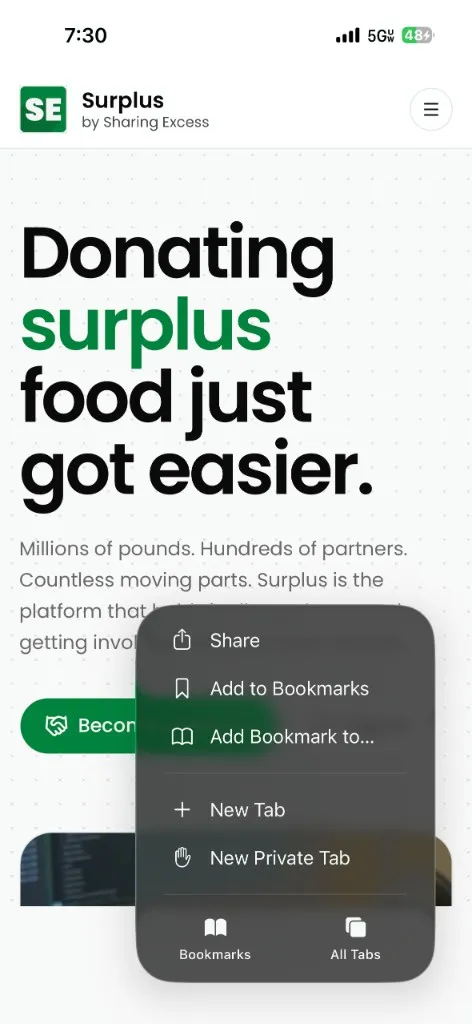
- Tap ⋯ at the bottom of the screen, then tap Share.
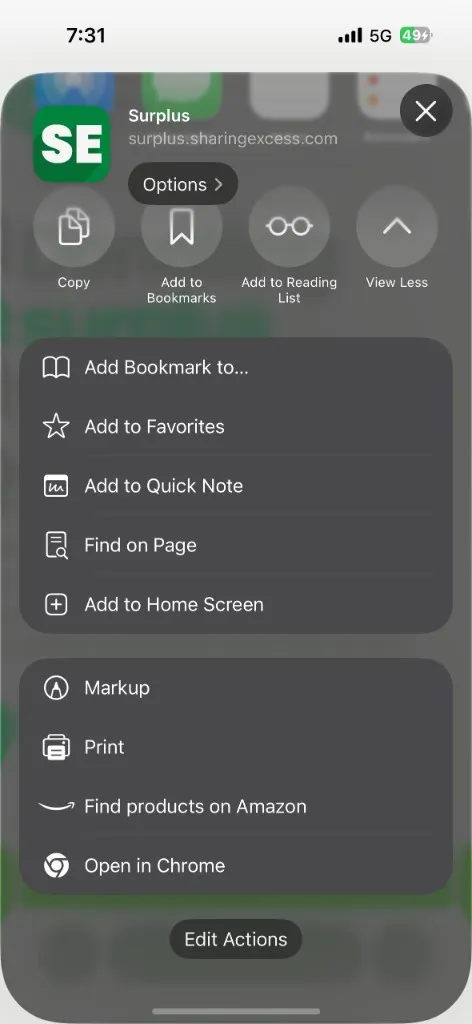
- Scroll down and tap Add to Home Screen.
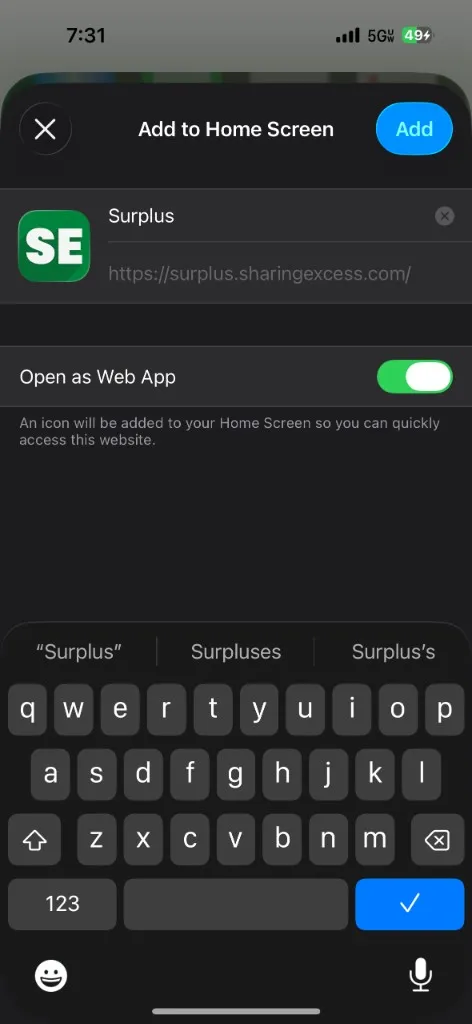
- Confirm the name is Surplus, make sure Open as Web App is on, then tap Add.
That's it — Surplus now lives on your Home Screen. Tap the icon anytime to open it.
Android
You'll need to use Google Chrome as your browser — this is the default on Android phones.
- In Chrome, go to surplus.sharingexcess.com.
- Tap ⋮ in the top corner, then tap Install app or Add to Home screen (the label varies by phone).
- Tap Add or Install to confirm.
Surplus appears on your Home Screen, ready whenever you need it.
When you're set up, head to Getting started to sign in and explore the app.